
Eight Web Design Patterns Discussed in 2024

An archived review of motion, micro-interactions, expressive layouts, AI-assisted design, typography, efficient delivery, AR, and accessibility.
Eight Web Design Patterns Discussed in 2024
This archived 2024 article records design patterns discussed at the time. They are options, not requirements: a pattern should be used only when it improves comprehension, task completion, accessibility, or performance for the actual audience.
1. Immersive Scrolling Experiences
Scroll-linked motion was one visual option discussed in 2024:
- Parallax evolution: More sophisticated parallax effects that respond to user interaction
- Horizontal scrolling: Strategic use of side-scrolling for product showcases and storytelling
- Scroll-triggered animations: Elements that animate, transform, or appear based on scroll position
- 3D scroll experiences: Depth and dimension that create a sense of moving through space
Motion can also obscure content, cause discomfort, or add loading cost. Preserve document order, respect reduced-motion preferences, and test whether the effect helps the intended task.
2. Advanced Micro-interactions
Micro-interactions are small moments of interface feedback, such as:
- Subtle feedback animations that confirm user actions
- State changes that feel natural and intuitive
- Playful interactive elements that surprise and delight
- Contextual micro-interactions that adapt to user behavior
Use them to communicate state or consequence, then check keyboard access, screen-reader output, motion settings, and performance.
3. Maximalist Minimalism
"Maximalist minimalism" was a label for combining simple structure with selected expressive elements:
- Clean layouts with bold, unexpected elements
- Strategic use of negative space alongside rich visual components
- Functional minimalism with personality and character
- Simplified navigation with visually complex content areas
The label does not guarantee usability or distinctiveness. Navigation, hierarchy, contrast, and comprehension still need direct testing.
4. AI-Generated and AI-Enhanced Design
AI-assisted tools were being used for several design tasks:
- Custom illustrations and graphics generated or enhanced by AI
- Personalized user experiences that adapt based on AI analysis
- AI-assisted design systems that maintain consistency at scale
- Generative backgrounds and textures that create unique visuals
These tools can produce drafts or variations, but selection, originality checks, accessibility, brand decisions, and production quality remain human responsibilities.
5. Experimental Typography
Typography can carry more visual character through options such as:
- Variable fonts that adapt to different contexts and screen sizes
- Kinetic typography that moves and transforms
- Custom, brand-specific typefaces that create distinctive identities
- Type as a primary design element rather than just content
Readability, language coverage, font licensing, loading cost, zoom behavior, and fallback fonts should be checked before visual novelty.
6. Sustainable Web Design
Teams can reduce page weight and computing work through practices such as:
- Energy-efficient coding and optimization
- Reduced data transfer through strategic asset management
- Design systems that minimize redundant elements
- measuring relevant hosting and infrastructure trade-offs
Smaller assets and less client-side work often support performance. Environmental impact claims require a stated measurement method and system boundary.
7. Augmented Reality Integration
Browser-based augmented reality was being explored for uses such as:
- Virtual try-on features for products
- AR visualizations of products in real environments
- Interactive AR elements that blend digital and physical worlds
- WebAR experiences that don't require dedicated apps
AR adds camera permission, device-support, accessibility, privacy, and performance requirements. It should be used only when spatial context helps a real user decision.
8. Accessibility-First Design
Accessibility is a product requirement, not a visual trend. Relevant practices include:
- Inclusive design thinking from project inception
- Enhanced focus states and navigation options
- Improved color contrast and readability
- semantic HTML first, with ARIA only where native semantics are insufficient
Test keyboard operation, focus order, zoom, contrast, reduced motion, labels, errors, and assistive-technology behavior against the product's actual journeys.
Conclusion
The durable standard is not whether a site follows a trend. It is whether the intended visitor can understand the offer, complete the task, use the interface with assistive technology, and load it reliably.
For Oyu Intelligence, this is a historical pattern library rather than a claim of design leadership or guaranteed conversion.

Read Next
Related notes

A Pre-Launch Checklist for Mobile App Development
Seven areas to define before release: the user's core job, interaction design, platform approach, testing, performance, maintenance, and security.
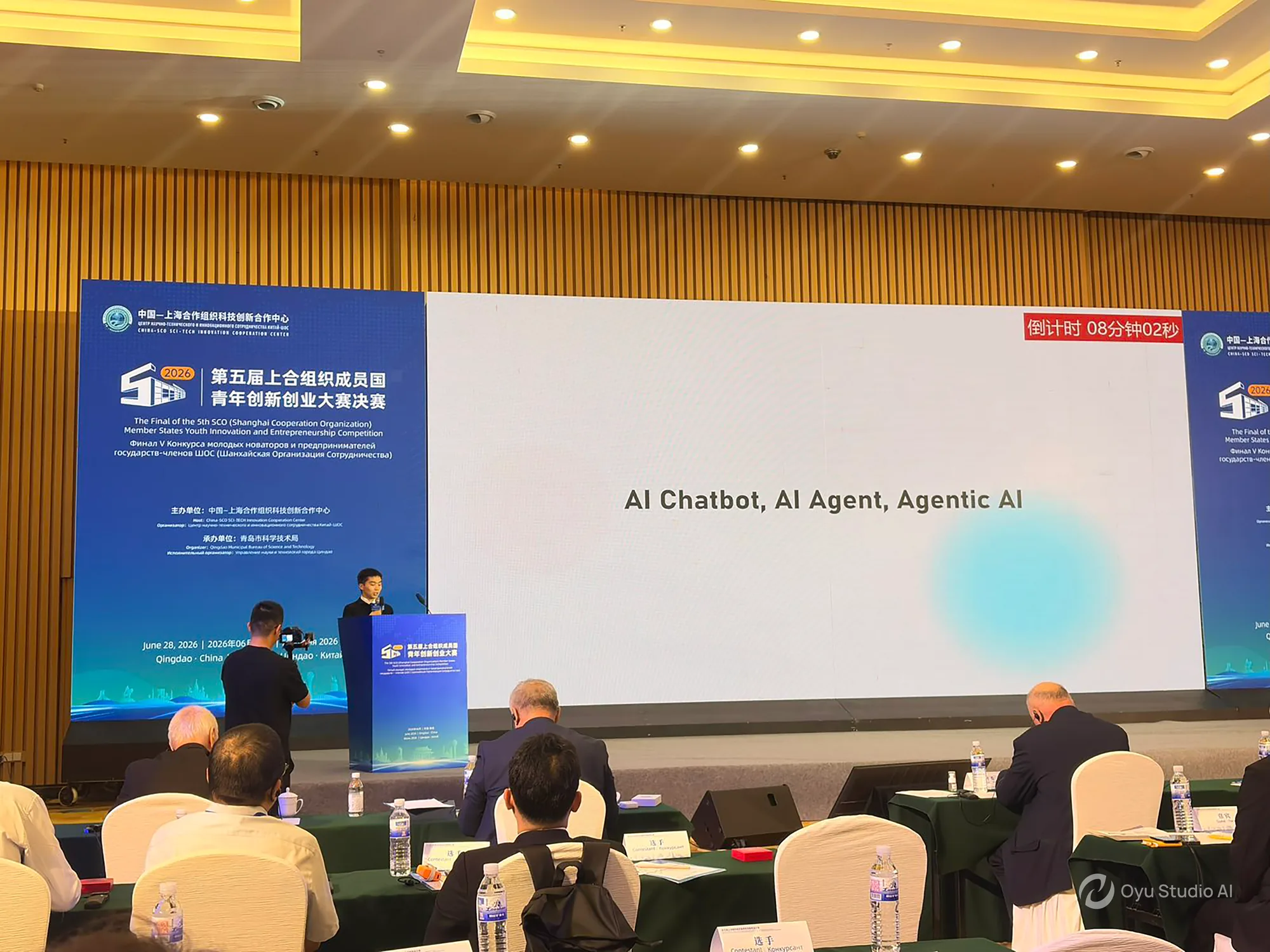
Oyu AI Receives an Excellence Award at the 2026 SCO Youth Innovation and Entrepreneurship Competition
Selected from 230 projects across ten qualifying regions, Oyu AI joined 20 finalists from eight countries in Qingdao and received an Excellence Award for its no-code data processing and visualization platform.

Beyond the Hype: Preparing Enterprise Infrastructure for the Agentic Era
A pragmatic analysis of how enterprise architectures must evolve to support autonomous agentic workflows and the gradual transition toward highly capable, multi-domain AI systems.